Account and subscription
Sign up
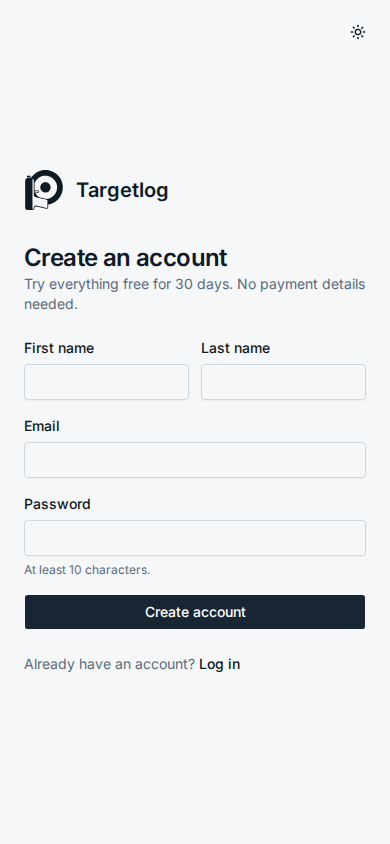
Open Create an account on the login page. You need your name, your email address and a password of at least 10 characters. You are logged in right away and the free trial starts.
Targetlog sends you a link to confirm your email address. Until you confirm it, a note on the Today page reminds you; Send again sends a new link. The link is valid for seven days.
Forgot your password? Use Forgot your password? on the login page. You get a link that is valid for one hour. Setting a new password logs you out everywhere.
Accounts created by a club admin log in with their user name instead of an email; they can add an email address under Settings → Email.
Profile and competition results
Under Settings → Profile you can enter your birthday and license number. With both, Targetlog finds your results from events run with Targetlog by any club, for example the club championship. They show up in the Log under Your competition results. Choose the discipline and tap Add, or Add all. Added results become competition sessions with their series.
Subscription
Settings → Subscription shows what you have:
| Plan | Meaning |
|---|---|
| Free trial | every feature until the date shown |
| Subscription | you pay monthly; Manage subscription changes the card or cancels |
| Club | your club pays for you through a member plan |
| Everything is included | this server does not charge |
Without an active plan your sessions stay readable and you can export them; logging new sessions and the progress analysis are locked until you subscribe. Payment runs through Stripe (cards, TWINT) if the operator has set it up; otherwise the operator can activate a subscription for you, e.g. against an invoice.
Paid by your club
If your club has a member plan, the club admin enters your email address and you get a mail. Sign up, or log in, with exactly that address and confirm it. From then on Settings says that your club pays.
Own disciplines
Six disciplines are built in: air pistol and air rifle 10 m, pistol 25 m and 50 m, rifle 50 m and 300 m. For anything else, e.g. a field programme, add Own discipline in the settings with:
- the usual number of series and shots per series,
- whole or decimal (up to 10.9) scoring and the highest value of a shot,
- optionally a target face for tapping hits.
Weapons
Shoot more than one gun, e.g. two air pistols? Add them under Settings → Weapons with a name of your choice; the calibre does not matter. Choose the weapon when you save a session and Progress compares them. Renaming a weapon keeps its sessions. Deleting it keeps the sessions too, they just have no weapon any more.
API tokens
Want to import sessions from another app or analyse your log with your own script? Create a token under Settings → API tokens:
- a name that tells you later what uses it,
- the permissions: Read sessions and/or Log and change sessions,
- when it expires: in 30 or 90 days, in a year, or never.
The token (tl_…) is shown only once; copy it right away. Scripts send it as Authorization: Bearer tl_… (or X-API-Key: tl_…). It works for your sessions, disciplines, weapons, goals, statistics and the export, but never for your password, email, account or other tokens, and never for club data. The list shows when each token was last used; revoking one stops it at once. See the API reference for the endpoints.
Install the app
Targetlog is a web app that can be installed:
- Android / Chrome: Settings → Install, or Add to home screen in the browser menu.
- iPhone: Share → Add to Home Screen.
Installed, it starts full screen. A long press on the icon offers Start training.
Your data
- Export all sessions (CSV) downloads every series of every session, also without a subscription.
- Delete account removes the account with all sessions, goals and settings after you enter your password. Accounts that belong to a club must first be removed from the club by its admin.